Why is My Earbuds Battery Draining So Fast? 4 Tips To Prevent This
Your earbuds’ battery is draining fast, and now you want to know what the reason behind this is. Well, it is indeed frustrating when you plug in a charger for 2 hours and the battery goes to zero in no time. But the thing is- when it comes to battery problems, the earbuds might be facing one or more issues.
Earbuds’ battery drains fast when the cells are damaged, if you don’t charge properly, when you listen at a higher volume, or when the extra features are turned on.
If you want me to explain these reasons in detail and tell you some tips about conserving the battery, then stay till the end.
Why is my Earbuds battery draining so fast? 7 Reasons
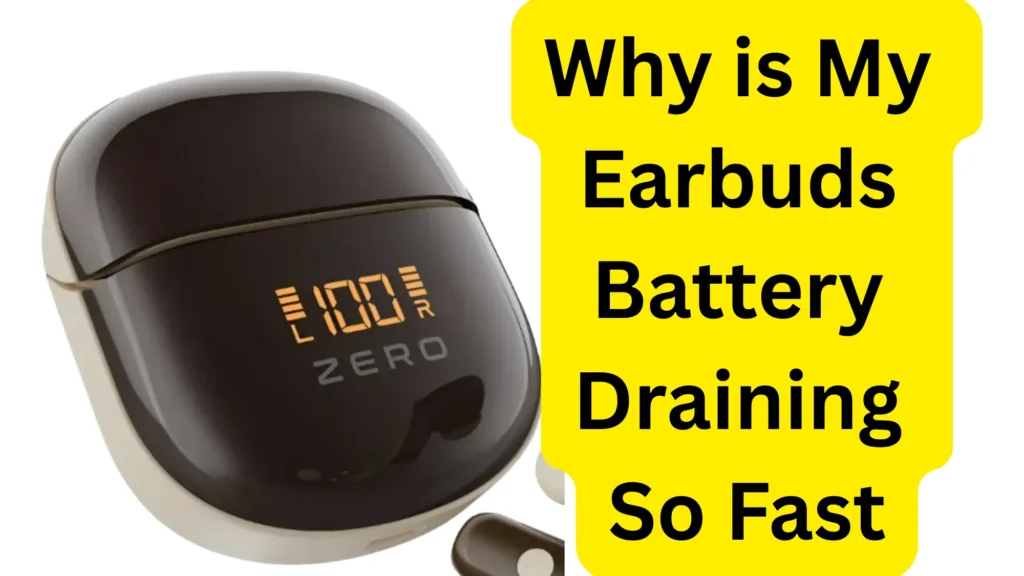
Your earbuds are dying fast because of a few simple reasons.
The biggest reason is that they are getting old. Inside each earbud is a tiny battery. Just like an old cell phone, these batteries wear out over time. If you have used your earbuds for a year or two, the battery naturally shrinks. It cannot hold a lot of power anymore, so it drains very fast.
Another reason is loud music. If you turn the volume up all the way, the earbuds have to work much harder. This sucks up the battery power twice as fast. Also, special features like “noise canceling” (which blocks out room sounds) use extra energy and empty the battery quickly.
Lastly, dirt can stop them from charging. If there is dust or earwax on the tiny metal parts where the earbuds touch the case, they will not charge right. They might look full, but they are actually half-empty. Try cleaning the metal dots with a dry cloth to see if they stay alive longer.
Now the details.
Reason 01: Problem With Battery Cells
The main reason that causes battery draining is the issues with battery cells. Every earbud has a tiny pair of cells that needs to be recharged regularly. The battery in these cells is, in fact, the battery of the earbuds.
When these are damaged, the battery will start to finish off fast.
Generally, dropping the earbuds is the main cause of their damage. Similarly, if you spill a drink on the buds, then these cells can start to malfunction as well.
Furthermore, improper charging practices can also lead to a decline in the cells’ efficiency (more on it later).
Reason 02: Listening To Higher Volume
Earbuds consume more battery when you listen at a higher volume. The reason is that they have to work hard to produce the high-volume sound, which draws off the battery quickly.
70 percent volume is enough to maintain battery life and a good listening experience. If you increase it, then both the battery and your ears will take damage.
Reason 03: Improper Charging
If you are careless when it comes to charging earbuds, then it is no surprise that the battery has started to malfunction.
The biggest mishandling that most people do is leave the buds on charge for hours. The battery cells are not designed to take electric current for hours. So, when the charging becomes 100 percent & the light turns green, and you still leave them on the charger, then the performance of the battery cells will start to decrease.
However, we now have lithium-ion battery cells that disconnect automatically when the charging becomes 100 percent. But these batteries are not added to every earbud now. Only the expensive ones have such batteries.
In addition, never use a damaged cable to charge your earbuds, either. This can impact the charging speed and can even lead to battery draining.
Reason 04: If You Are Not Using Them
If you don’t use earbuds for some days, the battery will drain fast. So, if you charged your earbuds to 100 percent a few days ago and now it is below 50, don’t panic. Just charge them again.
Reason 05: Extra Features Are On

When the earbuds are offering extra features, then the battery will juice out quickly. The ones that consume the most battery are:
- Active Noise cancellation
- Transparency Mode.
When these features are turned on, earbuds work harder to provide the best service, which consumes battery.
Similarly, the auto-ear detection feature also takes up battery. However, this feature is available in a few audio devices (ANC and transparency modes are offered by more earbuds). I have shortlisted the top noise-cancelling earbuds with good battery life for you. And the best part is that they all cost less than 100 dollars.
Reason 06: Using Multiple Devices
If the earbuds stay connected to one device, then the battery consumption will stay normal. But if you keep on disconnecting it from one and then connecting it with another, then battery draining will start.
Similarly, disconnecting and reconnecting after every few minutes also impact the charging speed, so never do this.
Reason 07: Company’s Own Fault
Sometimes, battery draining is not your fault. Chances are the company might have mishandled the earbuds production.
But note that you will face this problem within a few days of purchase.
In this situation, you can contact the company and use the warranty they offer.
If more time has passed and you are unsure whether the warranty is still valid or not, you should still contact the company and inquire about it.
If the warranty is valid, the company will either repair your buds for free or give you a new one.
4 Quick Fixes To Prevent Battery Draining
Want to use your earbuds for a longer time? If so, then I have some proven tips for you:
Charge Properly
The first thing to do when the earbuds juice out quickly is to take a look at your charging practices.
- You should plug the charger into the case carefully.
- Then, keep checking the light coming out of the case to make sure you don’t overcharge.
- The moment you see a green light, quickly plug out the charger.
- Furthermore, it is better to let the earbuds’ battery go to zero or at least lower than 20 percent before you charge them again.
Listen to Lower Volume
To increase the running time of earbuds, the best thing to do is to listen at a lower volume (usually around 50 percent). This will make sure the earbuds function smoothly without the burden of producing high-volume audio.
Give Breaks
If you use earbuds a lot every day, then make a habit of giving them a break after every three or four days. This will keep the battery cells safe, and the life span of the buds will also increase.
Turn Off Extra Features
You can conserve battery by turning off extra features like ANC, transparency mode, auto ear detection, etc.
For this:
- Open Settings.
- Tap on Bluetooth.
- Tap on the icon next to your audio device.
- Turn off any feature you think you won’t use much.
Final Words
All-Inclusive, earbuds battery drain usually fast when the battery cells are damaged or when you listen to audio at a higher volume.
Moreover, when the advanced features are turned on, then the earbuds will also consume more battery at a faster rate.
In some cases, charging practices can lead to battery issues as well.
That’s all about what drains the battery of earbuds faster!