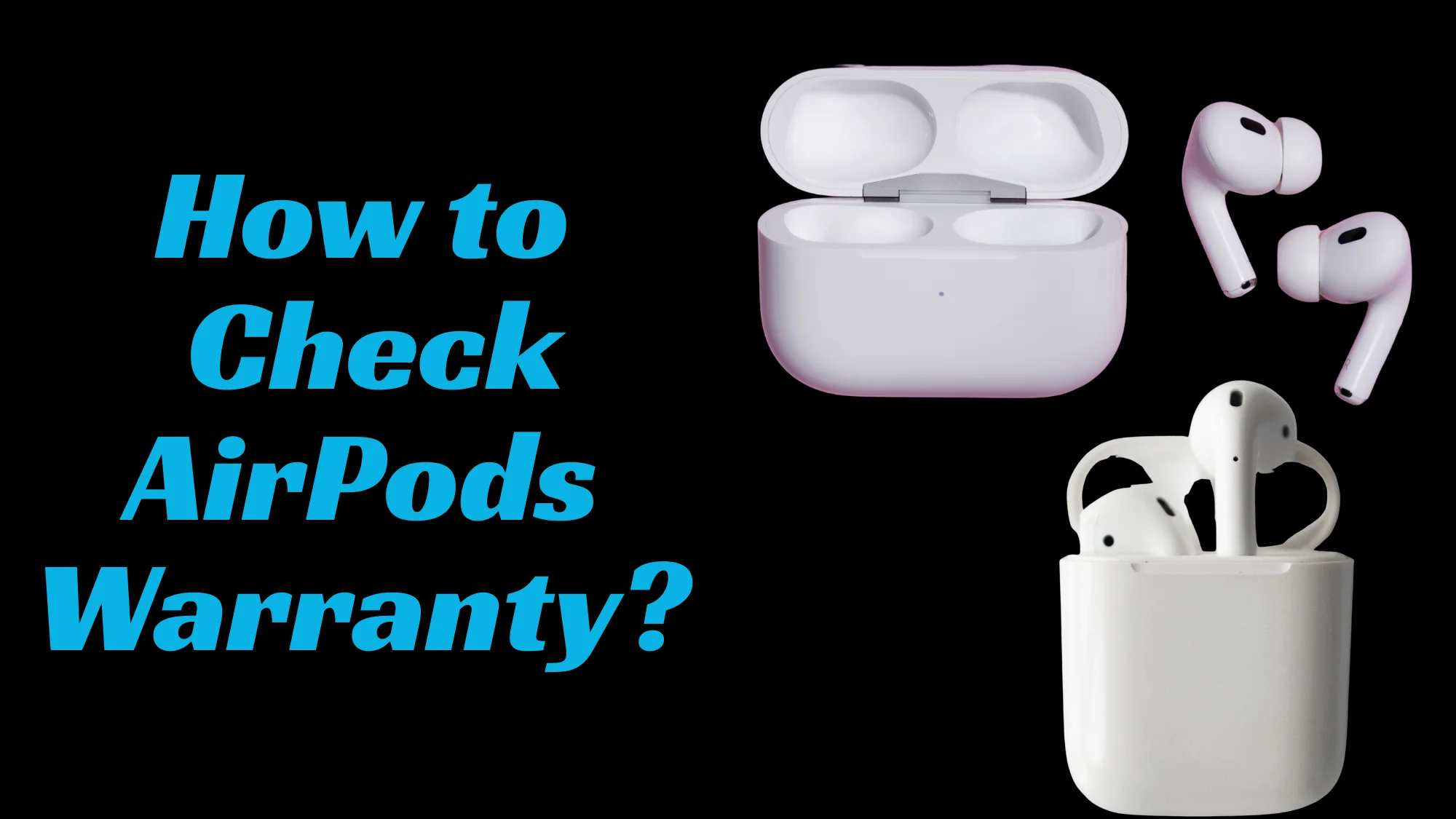
How to Check AirPods Warranty? 5 Simple Methods
Do you want to find out how much warranty is left on the AirPods you bought? Luckily, it is not a hard thing to do if you follow everything I say.
So, How to Check AirPods Warranty?
You can check AirPods’ warranty by visiting Apple’s Check Coverage website and inputting the serial number you see on the case. On your screen, the website will show the expiry date of the warranty. In addition, you can also find out about the AirPods warranty from the iPhone’s Bluetooth settings, by reading the manual, and by contacting Apple.
Want complete info on these methods? Then continue reading!
How to Check AirPods Warranty?
You can check the warranty of AirPods with five different methods, and each of them will work. These are:
Method 01: From Apple’s Check Coverage Website
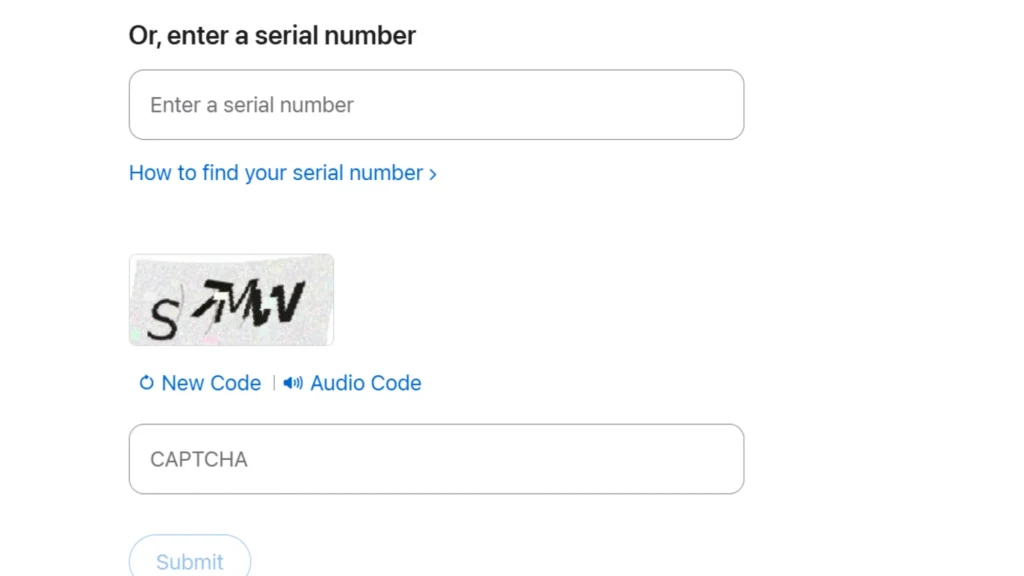
Apple launched a website called Apple Check Coverage, from which you can check the AirPods warranty status by following these steps.
- Open the Apple Check Coverage website.
- Provide the serial number of your AirPods. You can find the serial number of your product on the AirPods case, original packaging, and also on paired iPhone devices.
- A new page (Coverage and Support) will open where you can find the warranty’s expiry date.
Method 02: From iPhone’s Settings
If you want to know a way to check AirPods warranty where you don’t have to use a browser or the internet, then this method is for you.
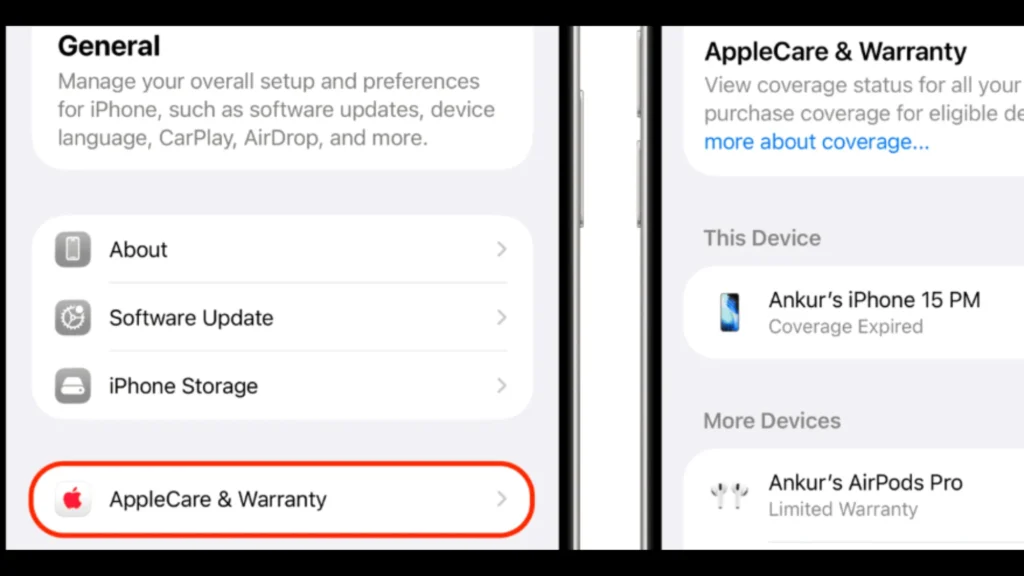
- Open “Settings” on the iPhone from where you have paired your AirPods
- Tap on “Bluetooth.”
- Click on the information button (a letter “i” inside a circle is written next to the paired device) of the paired AirPods for which you want to check the warranty.
- A screen will open where you can see the “Limited Warranty” at the end. It is the expiration date of your AirPods in a DD/MM/YY format.
Method 03: By Reading the Manual
A manual comes with every Apple product where its specifications and features are clearly mentioned. You can also know the warranty limit there, which is one year in the case of AirPods, according to Apple.
Here’s what you should do.
You should write down the date when you purchased the AirPods on the manual and put it in a drawer or anywhere where you won’t lose it. So, whenever you want to know how much warranty time is left on AirPods, you can just see the date on the manual and calculate it yourself.
Method 04: Visit Any Apple Store for Help
If you notice your AirPods battery draining fast or have a question or query about the warranty, you can simply visit any nearby Apple Store, and a customer representative will help you find the time left on the warranty. The representative will either use the Check Coverage website or open your iPhone’s settings to learn about the warranty.
Make sure you also bring your AirPods case to the store as well.
Method 05: Call Apple for Assistance
If you live away from the Apple store and do not have time to visit, then you can simply contact Apple to find out about the warranty. US residents can call 1-800-275-2273, while Canadians can dial 1-800-263-3394.
If you live in any other country, you can get Apple’s call number from Apple Support.
Warranty of AirPods: Some Brief Details You Should Know
The warranty of AirPods is the security that is provided by Apple management to their customers for their earbuds. It is offered to make people feel safe about spending money to purchase AirPods.
Apple gives a one-year warranty for their AirPods. In warranty claims, they either repair the faulty AirPods or replace them with new ones free of cost.
But this does not mean that every AirPods defect is covered under it.
AirPods warranty only covers its battery, speaker, and microphone faults that occur due to defects in manufacturing. If the AirPods get damaged due to your own fault, then Apple won’t do anything for you. So, if your AirPods go bad because you drop them in the water or on the concrete floor, which causes structural damage, then Apple will not repair them for free. You will have to pay the amount asked.
What To Do If the AirPods Are Still Under Warranty?
If the AirPods are not operating properly or have completely stopped working, and you still have some time left in your warranty, then you should visit the Apple store as soon as possible. Apple will either repair them or give you a new one for free. If you miss your warranty time, then you will have to pay to get your AirPods fixed.
FAQs
How to Check the Warranty of AirPods Pro?
Checking the AirPods Pro warranty is the same as checking the warranty for other AirPods. The best way is to go to the Apple coverage website. When you open the website, you will have to type in your AirPods Pro serial number, and the warranty status will be on your screen.
I have AppleCare+; Will I Still Pay for AirPods Repairing?
If you have purchased AppleCare+ and the AirPods go bad due to your fault, then Apple can still repair them, but you will have to pay 29$ for this. Note that you can only avail of this benefit of AppleCare+ only once a year.
Summary
So, how to check AirPods Warranty?
The easiest way to check the AirPods warranty is to visit Apple’s Check Coverage website. There, type your earbuds’ serial number, and it will show the expiry date of the warranty.
In addition, you can also go to the iPhone’s settings, go to Bluetooth, tap on your AirPods name, and you can then see the warranty status there. You can also read the manual or contact Apple to find out about the AirPods warranty.
That’s everything about how you can check your AirPods warranty!